
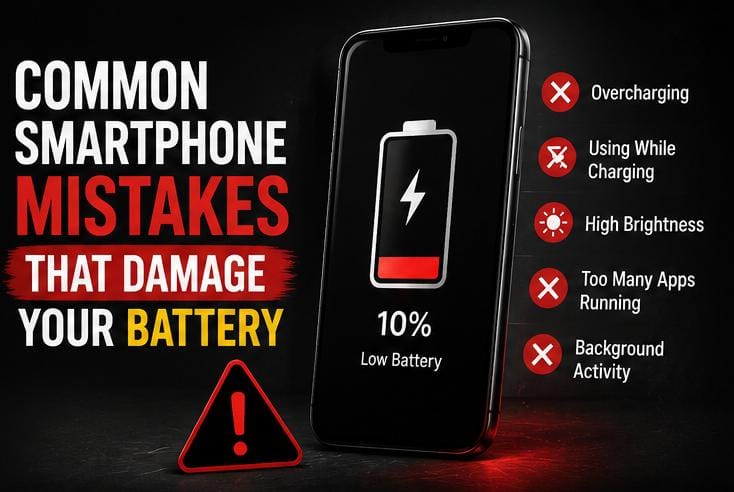
Common Smartphone Mistakes That Damage Your Battery

Think your smartphone battery is draining fast just because it’s “getting old”? Think again. You might actually be killing it yourself every single day without realizing it. Smartphone batteries are engineered to perform efficiently for several years, yet millions of users are forced to replace their devices prematurely due to silent hardware degradation. Many users unknowingly damage their devices through subtle daily usage patterns that generate hidden excess heat, overwork critical internal hardware components, or drastically reduce overall charging efficiency. Pinpointing these common smartphone battery mistakes early will completely transform your mobile user experience, but breaking these habits requires uncovering a few shocking truths about modern device hardware.
A weak battery can lead to poor phone performance, intense overheating, and shorter usage times between individual power cycles. Fortunately, avoiding these operational missteps will maximize your day-to-day productivity and extend your device’s overall lifespan. Make sure you read until the absolute end, because mistake #9 is something almost everyone does, yet tech manufacturers deliberately avoid warning you about it.
Table of Contents
1. Charging Your Phone Overnight Regularly
Many people leave their phones plugged into electrical outlets throughout the night. While modern smartphones can manage incoming current better than older hardware generations, keeping a battery cell held at full charge continuously creates unnecessary stress. Avoiding prolonged overnight cycles is an easy way to eliminate common smartphone battery mistakes that affect long-term hardware capacity.
When a phone stays plugged in at 100%, it experiences “trickle charging,” where the charger continuously tops off the battery whenever it drops to 99%. This keeps the battery in a high-stress, high-voltage state, which accelerates internal degradation over months of repetition.
2. Using Cheap or Fake Chargers
Low-quality power bricks provide unstable voltage levels that can damage internal phone components. Relying on uncertified power accessories is one of the most hazardous common smartphone battery mistakes because it lacks built-in safety mechanisms against short circuits. For better equipment safety, focus on these habits:
- Use original manufacturer chargers whenever possible to maintain steady current delivery.
- Buy aftermarket accessories exclusively from trusted, certified brands (like Anker or Ugreen).
- Avoid utilizing extremely cheap charging cables from unverified local markets.
Reliable power supplies help maintain stable internal current performance and safeguard your hardware from sudden voltage spikes that can permanently fry your motherboard. Just like falling prey to 10 common online scams where cheap promises cost you heavily in the long run, using uncertified power bricks compromises your digital assets entirely.
3. Allowing the Battery to Reach 0% Frequently
Completely draining your device power levels regularly places intense physical stress on lithium-ion battery configurations. Instead of waiting for a complete shutdown at 0%, it is generally healthier for the device lifespan to reconnect your power supply when your battery level falls below moderate ranges. Letting the device die completely is part of the common smartphone battery mistakes that shorten cell durability.

Lithium-ion batteries don’t have a “memory effect” like older battery types, meaning they do not need to be fully discharged. In fact, their longevity is maximized when kept between 20% and 80% charge capacity as much as possible.
4. Using the Phone While Charging
Heavy device usage while actively connected to a power outlet is among the most severe common smartphone battery mistakes users commit daily. Activities like mobile gaming, video streaming, or heavy video editing cause dual-source heat generation while your power cell is absorbing current, which degrades the internal chemistry rapidly.
This phenomenon is often called “parasitic loading.” It distorts the battery’s charging cycle, causing parts of the battery to continuously cycle and wear out at a much faster rate than the rest of the cell.
5. Ignoring System Software Updates
Operating system updates regularly include critical battery optimization code patches and hardware bug fixes. Skipping these upgrades leaves you exposed to legacy system issues that drain cells faster, adding to the pile of common smartphone battery mistakes that reduce efficiency. Furthermore, keeping software optimized prevents you from having to constantly research how to increase phone storage due to unoptimized app cache buildup.
6. Leaving Too Many Apps Running in Background
Unused applications lingering in your device memory channels continue pulling energy behind the scenes. Too many active processes drain your battery quickly, increase general phone temperature levels, and slow down your responsive speed. If you use your device to research online topics or learn to start a successful blog, closing idle utilities will prolong your daily working time.
7. Exposing the Phone to Excessive Heat
High external temperatures can permanently damage your underlying battery hardware. According to technical device guidelines published by Apple Support, extreme thermal environments can alter internal chemistry configurations irreversibly. To stay safe and avoid these destructive common smartphone battery mistakes, make sure to avoid leaving phones under direct harsh sunlight, keeping hardware locked inside hot vehicles, or charging devices beneath heavy insulation materials like pillows or blankets.
8. Keeping the Brightness Maxed Out Continuously
Operating your display screen at 100% brightness at all times is incredibly demanding on hardware resources. The screen is typically the single largest consumer of battery power on any mobile device. Keeping it maxed out forced the battery to discharge rapidly, creating internal heat that compromises structural health over time.
To correct this, enable “Auto-Brightness” or “Adaptive Brightness” in your system settings. This allows the device to lower its power output dynamically based on your surrounding environment, instantly boosting your daily usage hours.
9. Using Fast Chargers Unnecessarily All the Time
While ultra-fast charging technology is incredibly convenient when you are in a rush, using maximum wattage chargers for every single charge cycle can generate excessive thermal stress. High heat during rapid charging cycles degrades the lithium ions faster than standard power delivery rates. If you are charging your phone while sitting at a desk or asleep, opting for a standard, slower charger is a smart way to safeguard longevity and stop committing these common smartphone battery mistakes.

The Ultimate Battery Debate: Join the Discussion
Severe hardware deterioration is often accelerated by minor daily operational oversights that many users simply overlook. Small routine modifications—such as using proper charging equipment, minimizing thermal stress, and updating your base system installations—can help extend battery life metrics significantly over the lifetime of your device. By staying mindful of these common smartphone battery mistakes, you ensure your device stays fast, reliable, and functional for years to come.
Now, let’s settle a massive tech debate in the comment section below: Some smartphone enthusiasts swear that modern internal charge controllers make overnight charging completely harmless, while tech purists argue it actively degrades cells over time. Which side are you on? Do you charge your phone overnight, or do you unplug it the second it hits 100%? Let us know your thoughts, drop your questions, and let’s discuss below!


