
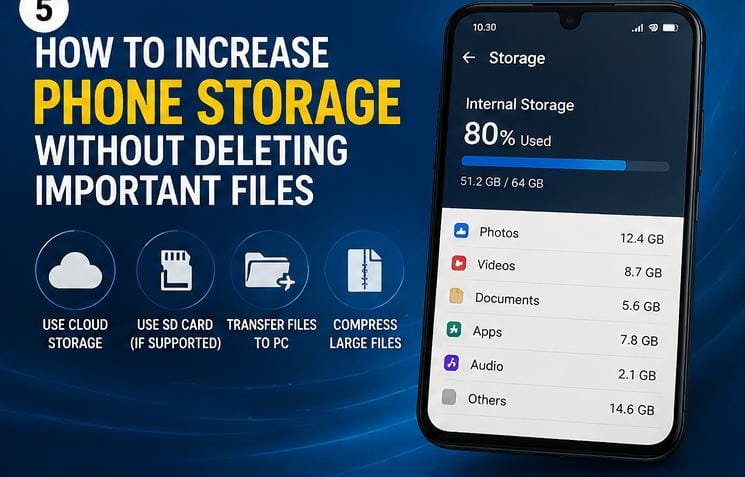
How to Increase Phone Storage Without Deleting Important Files

Many smartphone users eventually face the same frustrating problem: low storage space. When a phone runs out of storage, it may become slower, stop downloading apps, fail to update software, or prevent users from taking photos and videos. If you are struggling with these performance lags, learning tips to increase phone storage will keep your system running smoothly.
The good news is that you do not always need to delete important files to free up space. In many cases, simple storage management techniques can help you recover a large amount of space while keeping your valuable documents, photos, and apps safe.
In this article, you will learn practical ways to increase phone storage without losing important information.
Table of Contents
1. Clear App Cache Regularly
Apps store temporary files called cache files to help them load faster. Over time, these files can occupy a large amount of storage space. Clearing cache does not delete your personal data or account information.
To clear cache on Android and successfully increase phone storage:
- Open Settings
- Tap Apps
- Select an app
- Tap Storage
- Choose Clear Cache
Social media and browser apps often store large cache files that eat up device memory quickly.
2. Move Photos and Videos to Cloud Storage
Photos and videos are usually among the biggest storage consumers on smartphones. Instead of deleting important memories, you can move them to cloud storage services such as:
- Google Photos
- Google Drive
- OneDrive
- Dropbox
Cloud storage allows you to access your files online while reducing pressure on your phone storage. After backing up files successfully, you can remove local copies if needed to immediately maximize space.
3. Delete Duplicate Files
Many phones contain duplicate photos, videos, downloads, and documents. These duplicate files waste valuable space unnecessarily. To fix this, you can manually review your gallery layout or deploy dedicated cleaning tools.

According to storage optimization documentation on the official Google Support platform, removing duplicate content and temporary installation tools can recover a surprising amount of internal capacity.
4. Remove Unused Downloads
Downloaded files often remain on phones long after they are needed. Take time to check your downloads folder, messaging app media files, shared documents, and old PDFs. Cleaning unnecessary files can increase phone storage and speed up processing times.
5. Use Lite Versions of Apps
Some apps consume large amounts of storage because of extra features and background files. Lite versions are designed to use less storage, less data, and less battery power.
Excellent examples include:
- Facebook Lite
- Messenger Lite
- Lite web browsers
Switching to these lightweight alternative options can help improve both storage capacity and daily phone performance tasks.
6. Move Files to a Memory Card
If your phone supports external storage options, using a memory card can help free internal space. You can easily offload photos, videos, music, and large work documents. Keeping large media files on a secondary memory card reduces pressure on internal storage setups.
7. Uninstall Apps You No Longer Use
Many people install apps and forget about them. Unused apps may continue occupying storage space even when they are rarely opened. Review your configurations regularly and remove games you no longer play, old editing applications, or duplicate system utilities.
8. Stream Media Instead of Downloading Everything
Downloading large videos and music playlists can quickly fill your available directory. Streaming services allow users to enjoy content without storing large files permanently on local systems. Avoid downloading unnecessary videos and clear old offline content regularly.
9. Keep Your Phone Organized
Disorganized files can make it difficult to identify where your storage space is going. If you are learning how to start a successful blog or manage digital documents from your phone, maintaining a clean structure is essential. Organize documents properly into labeled folders, delete unwanted screenshots, and review your storage settings monthly.
Final Thoughts
Low phone storage can be frustrating, but deleting important files is not always necessary. Simple habits such as clearing app cache, removing duplicate files, using cloud storage platforms, and uninstalling unused apps can free up valuable space while protecting your important data.
Managing storage properly can also improve phone speed, reduce lag, and create a smoother overall experience. By following these practical tips, you can keep your smartphone organized and functional without losing files that matter to you.