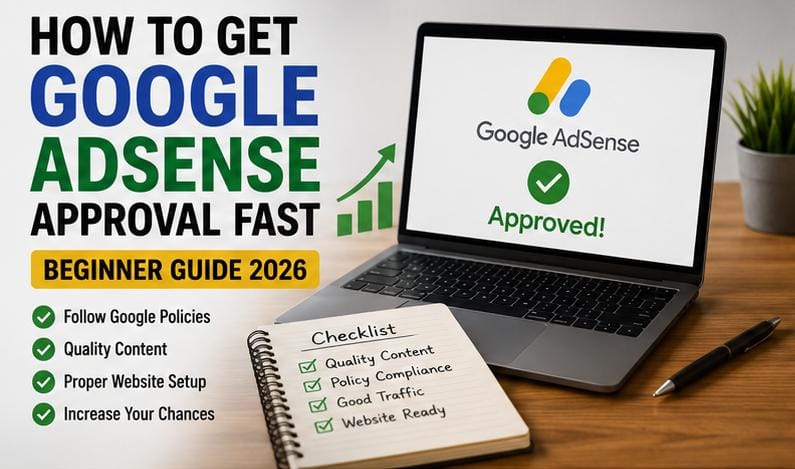
How to Get Google AdSense Approval Fast (Beginner Guide 2026)
Learning How to Get Google AdSense Approval Fast is one of the most critical steps for new bloggers and publishers looking to monetize their website traffic. While many site owners receive rejection emails for issues like “Low-Value Content” or “Site Behavior,” passing the review process is straightforward when you align your site with Google’s core guidelines.
In this comprehensive beginner guide, you will learn the exact step-by-step checklist required to prepare your blog, optimize site navigation, write high-quality articles, and secure fast approval from the Google AdSense Publisher Program on your first attempt.

Table of Contents
What is Google AdSense and How Does It Work?
Google AdSense is an advertising network that allows web publishers to monetize online content. When you display ads on your website, Google matches targeted display and text ads to your content based on what visitors are searching for.
Every time a visitor views or interacts with an ad unit placed on your site, you earn a share of the advertising revenue. However, because advertisers demand high-quality ad placements, Google maintains strict publisher policies to ensure every approved blog provides genuine value to readers.
How to Get Google AdSense Approval Fast: Step-by-Step Checklist
1. Create Original, High-Quality Content
The primary reason websites get rejected by AdSense is thin or duplicate content. Google prioritizes websites that offer unique insights, thorough tutorials, and helpful explanations tailored to user search intent.
Avoid copying text directly from other websites or publishing generic, low-effort articles. To build authority, learn how to refine your editorial process with our digital content creation guide.
2. Publish Sufficient Article Depth Before Applying
While Google does not specify an official article limit, submitting a site with only two or three posts usually results in immediate rejection under the “Low-Value Content” policy flag.
Aim to publish at least 15 to 20 well-structured articles before submitting your application. Each post should be between 800 and 1,500 words, featuring subheadings, clear paragraphs, and relevant images.

3. Create Essential Trust & Legal Pages
Google’s automated review systems evaluate whether a website operates as a trustworthy platform. You must display essential administrative pages prominently in your main menu or footer area:
- About Us: Explain who runs the website, your background, and the primary purpose of your content.
- Contact Us: Provide a working contact form or a professional direct email address.
- Privacy Policy: Inform readers how user data and cookies are managed, specifically mentioning third-party ad vendors like Google.
- Disclaimer & Terms of Service: Clarify liability terms regarding information shared across your platform.
4. Optimize Site Layout and Mobile Navigation
A poorly designed website with broken links, missing menus, or confusing layouts will be rejected during automated quality checks. Ensure your theme is clean, lightweight, and fully responsive across both Android and desktop browsers.
Your header menu should provide clear navigation pathways to all main blog categories so reviewers and readers can find information effortlessly. If you want to develop in-demand site design techniques, explore our guide on high-income digital skills.
5. Eliminate Copyrighted and Prohibited Content
Using copyrighted stock images, downloading media without permission, or embedding pirated content will prevent approval. Always use royalty-free image platforms or create original graphics for your posts.
Additionally, strictly follow Google Publisher Policies. Ensure your content does not cover adult material, illegal software downloads, violence, or hate speech.
Advanced Tips on How to Get Google AdSense Approval Fast
When studying How to Get Google AdSense Approval Fast, technical blog preparation plays a major role alongside content quality. Here are proven technical steps to speed up the review timeline:
- Verify Google Search Console Indexing: Ensure Google has successfully indexed your published articles before submitting your site. Unindexed sites often trigger instant automated rejections.
- Remove Other Ad Networks During Review: If you are using pop-ups or alternative ad platforms, temporarily remove them during the AdSense verification process to maintain a clean page layout.
- Fix Broken Permalinks: Use broken link checker tools to identify and fix 404 error pages across your navigation menus.
Common Reasons for AdSense Rejection and How to Fix Them
Understanding why sites get rejected allows you to apply the correct solutions for How to Get Google AdSense Approval Fast on your next submission:
- Low-Value Content: Triggered when articles are too short, lack original insights, or duplicate topics found across thousands of web pages. Fix: Rewrite posts to provide step-by-step guidance and unique perspectives.
- Site Under Construction: Occurs when broken links, dummy text (like Lorem Ipsum), or unconfigured menu items are found. Fix: Audit all categories and ensure every menu link leads to active content.
- Policy Violations: Caused by missing privacy statements or copyrighted assets. Fix: Update legal disclosures and replace scraped images with original visual assets.
For more ways to turn digital traffic into sustainable online income streams, take a look at our monetization skills framework.
Frequently Asked Questions (FAQ)
How long does it take to get approved for Google AdSense?
The review process typically takes anywhere from 24 hours to 2 weeks. Sites that follow our strategy on How to Get Google AdSense Approval Fast get reviewed significantly faster.
Do I need high website traffic to get approved?
No, Google AdSense does not have a strict minimum traffic requirement for initial approval. What matters most is content originality, user experience, and legal compliance.
Can I apply for AdSense using a free domain or custom domain?
Using a custom top-level domain (such as .com or .com.ng) increases your chances of approval and looks far more professional to ad networks compared to free subdomains.
What should I do if my application gets rejected?
Read the specific rejection reason sent to your Google AdSense dashboard, correct all mentioned issues across your posts, wait a few days, and re-submit your application.
Conclusion
Mastering How to Get Google AdSense Approval Fast comes down to quality over quantity. By publishing at least 15 comprehensive articles, setting up core legal pages, and providing clean mobile navigation, your blog will easily pass Google’s review standard.
Audit your blog against this checklist today, implement the necessary updates, and apply with confidence to start earning ad revenue. Stay tuned for more helpful guides!