How to Stay Safe While Browsing the Internet

The internet provides unprecedented access to global information, instant communication, entertainment, and digital business opportunities. However, it also harbors severe hidden risks such as phishing scams, malicious tracking scripts, harmful websites, and evolving cyber threats. Learning exactly how to stay safe while browsing the internet has become an absolute necessity rather than an optional skill as more personal information, banking details, and private data are shared digitally every single day.
Understanding safe browsing habits can help protect your privacy, financial accounts, and personal identity from modern cybercriminals. By ignoring simple security protocols, regular users make themselves incredibly soft targets for malicious exploit scripts. Read on to master these vital protection pillars, especially point #4, which most people compromise on daily while out in public places.
Table of Contents
Core Strategies on How to Stay Safe While Browsing the Internet
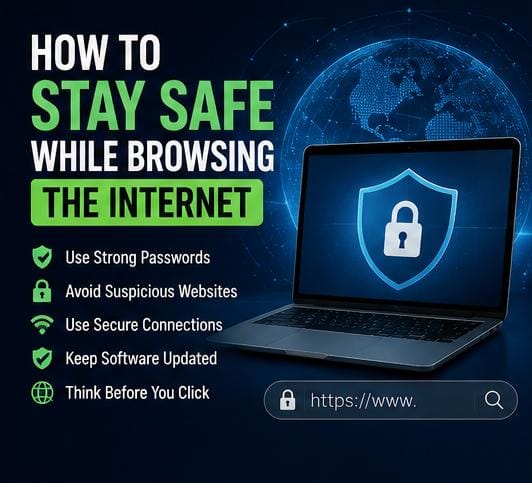
To establish an effective baseline of personal cyber hygiene, you must address systemic vulnerabilities across your everyday digital footprint. Implementing these five fundamental habits provides a permanent shield against automated digital scams and targeted account takeovers.
1. Use Strong and Unique Passwords Across Accounts
Weak passwords are much easier for threat actors to guess or crack within seconds using automated brute-force cracking tools. When mastering how to stay safe while browsing the internet, establishing robust login credentials serves as your critical first line of defense. A strong password should always look like a random string rather than standard words:
- Be completely unique to that specific profile to avoid credential stuffing loops.
- Include different characters, mixing uppercase letters, lowercase letters, numbers, and symbols.
- Avoid predictable personal details such as family names, birthdays, or local sports teams.
Using different, complex passwords for your important online accounts significantly improves your security profile across the global web ecosystem.
2. Avoid Suspicious Links and Phishing Traps
Some malicious hyperlinks lead directly to fake cloned websites designed to steal critical authentication inputs through spoofed interfaces. Scammers frequently mask fake links in emails, text messages, and social media promotions to trick users. Before clicking on any link, remember these structural rules to help you figure out how to stay safe while browsing the internet:
- Inspect the domain address carefully to ensure it uses valid protocols and correct spelling.
- Avoid downloading attachments from unverified senders or random forum threads.
- Be extremely cautious with urgent messages demanding immediate financial verification or account updates.
3. Keep Core Device Software and Browsers Updated
Software updates do not just bring new visual features; they fundamentally fix deep security weaknesses that hackers actively exploit to initiate silent malware installations. To maintain premium device health, keep the following items updated on an automatic schedule:
- Mainstream web browsers like Chrome, Safari, or Firefox along with active extensions.
- Mobile security applications and system background utilities.
- Core phone firmware and laptop operating systems.
Regularly patching system flaws remains an essential task for anyone looking at how to stay safe while browsing the internet over a sustained period.

4. Avoid Public Wi-Fi Networks for Sensitive Activities
Public Wi-Fi networks in coffee shops, hotels, and airports are highly convenient but rarely implement robust traffic encryption protections. Cybercriminals frequently use open networks to intercept unencrypted data streams through man-in-the-middle attacks. Avoid opening mobile banking platforms or inputting administrative passwords when connected to open networks unless you route traffic through a secure Virtual Private Network (VPN) by verifying implementation details via official channels like Microsoft Support.
5. Enable Multi-Factor and Two-Factor Authentication
Two-factor authentication (2FA) adds a vital, secondary layer of protection over your profile databases. Even if an attacker uncovers your password during a random server data breach, they will still fail to break past your login screen without completing a secondary verification check—such as a mobile authenticator code or biometric scan. Activating 2FA on every single account is an absolute pillar of how to stay safe while browsing the internet safely today.
The Great Privacy Debate: Join the Discussion Below
Maintaining a secure web presence requires consistent user awareness and practical caution. Relying on basic foundational steps like deploying complex password protocols, ignoring suspicious third-party links, and running continuous system updates will lower your overall threat exposure significantly. Small behavioral adaptations can make a major difference in keeping your private footprint safe.
Let’s settle a massive internet debate in the comment section below: Do you believe that using standard incognito mode or basic private browsing tabs provides actual security, or do you think users are completely tracking-exposed without a paid VPN service? How do you keep your personal profiles safe? Drop your thoughts, debate the best security tools, and let us know your perspective down below!