How To Improve Your Website Speed and SEO Ranking in 2026
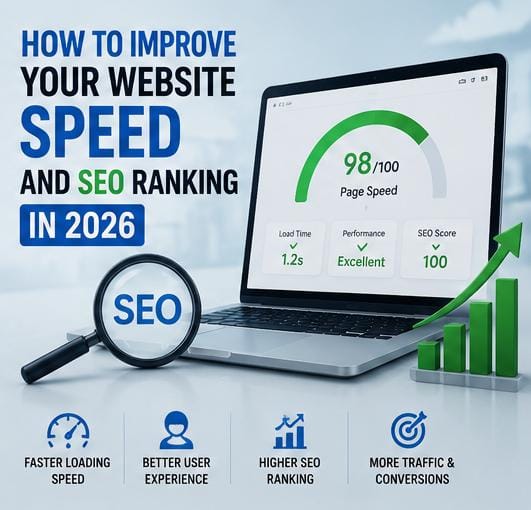
Learning how to improve your website speed and SEO ranking is essential for online success. A slow website can frustrate visitors, increase bounce rates, and lower search rankings on search engines like Google. On the other hand, a fast and properly optimized website enhances user experience, increases search visibility, and drives organic traffic.

Many bloggers and business owners in Nigeria struggle with slow-loading web pages without realizing how severely it affects their monetization opportunities. If you are also looking to scale a low-capital digital project, read our guide on top online business ideas Nigerian youths can start.
In 2026, search algorithms prioritize technical performance and user experience more than ever. This guide covers practical, actionable strategies to help you improve your website speed and SEO ranking effectively.
Table of Contents
Why Website Speed Matters for SEO Success
When visitors land on a web page, they expect content to display almost instantaneously. If loading times lag, users bounce back to search engine results pages (SERPs).
Optimizing your performance helps you improve your website speed and SEO ranking while unlocking these advantages:
- Enhanced User Experience: Keeps visitors engaged and browsing longer.
- Reduced Bounce Rates: Prevents early user departures due to slow performance.
- Higher Page Views: Fast navigation encourages users to read related articles.
- Better Search Visibility: Google uses page speed as an official ranking factor.
- Higher AdSense Revenue Potential: Faster pages display ads reliably without ruining layout flow.
Understanding Search Engine Optimization (SEO)
SEO (Search Engine Optimization) is the practice of optimizing web content and technical site structure so search engines can crawl, index, and rank pages higher. Effective SEO attracts sustainable organic traffic, increases brand credibility, and improves overall user engagement.
Actionable Steps to Improve Your Website Speed and SEO Ranking
1. Use a Lightweight WordPress Theme
Feature-heavy themes bundled with excessive scripts slow down web page processing. Opt for clean, lightweight, mobile-responsive themes to keep server load minimal.
2. Compress Images Before Uploading
Uncompressed image files are a primary cause of slow site performance. Always resize and compress photos before publishing using web tools like TinyPNG or ImageCompressor.

3. Choose Reliable Web Hosting
Inadequate web hosting leads to frequent downtime and sluggish server response times. Choosing a reputable host guarantees fast server delivery and stable uptime.
4. Remove Unnecessary Plugins
Running too many plugins inflates database size and adds bloated scripts to page loads. Periodically audit your site and delete outdated, inactive, or redundant plugins.
5. Enable Website Caching
Caching generates static HTML files of your content to serve recurring visitors quickly, decreasing database queries and server overhead significantly.
6. Optimize for Mobile Audiences
With mobile search traffic dominating online usage, having a fully responsive design ensures your site loads seamlessly across all handheld devices and smartphones.
7. Publish High-Quality, Search-Focused Content
Technical optimization works best when paired with original, valuable content that answers search queries, solves problems, and provides clear answers to readers.
8. Use Keywords Naturally
Integrate relevant search terms organically within page headings and body text. When creators consistently improve your website speed and SEO ranking using balanced keywords, search engines index the content far more accurately.

9. Build Strong Internal Link Structures
Internal links guide visitors to related topics while assisting search engine crawlers in mapping your site architecture and spreading link authority.
10. Secure Your Website with HTTPS (SSL)
HTTPS encrypts data transfers between users and your web server. Installing an SSL certificate protects visitor information and satisfies a vital Google ranking factor.
Common SEO & Performance Mistakes to Avoid
When working to improve your website speed and SEO ranking, avoid these frequent errors:
- Publishing Thin Content: Short, unhelpful articles fail to rank well or satisfy readers.
- Ignoring Mobile Layouts: Failing to test responsive design creates poor mobile user experiences.
- Overloading Ads: Displaying excessive ad banners slows down rendering speed and increases bounce rates.
- Neglecting Image Compression: Uploading raw camera images drains mobile data bandwidth and delays page load times.

Frequently Asked Questions (FAQ)
Does website loading speed directly affect SEO ranking?
Yes, Google explicitly uses page speed and Core Web Vitals as ranking metrics for desktop and mobile search queries.
What is the easiest way to make a WordPress site faster?
Compressing images, installing a caching plugin, using lightweight themes, and eliminating unnecessary plugins yield immediate speed improvements.
How long does it take for SEO optimizations to show results?
Search rankings usually adjust gradually over 3 to 6 months as crawlers re-index updated pages and evaluate user engagement metrics.